R3
The map, on a screen you can actually read
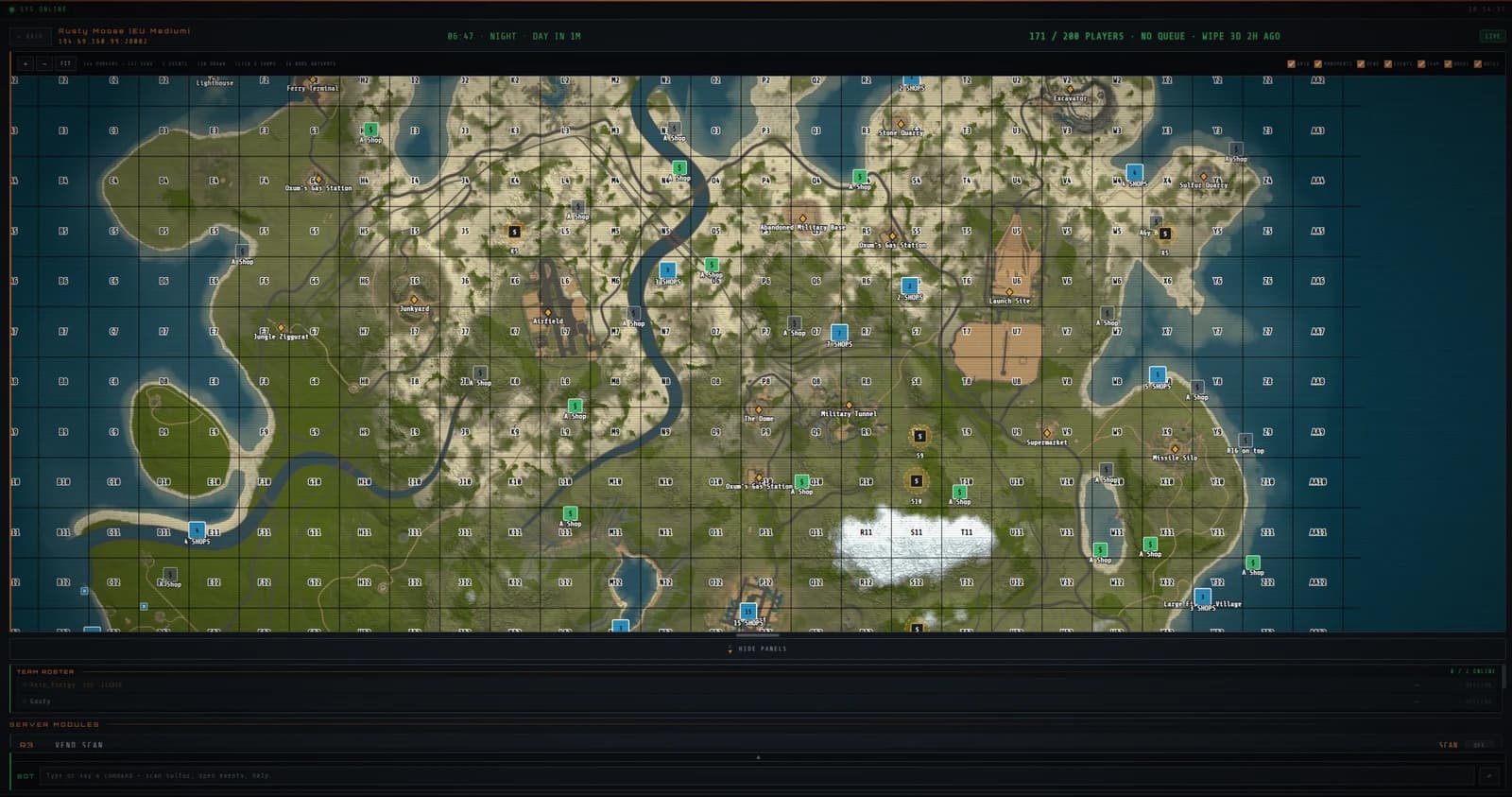
Terrain, team positions, monuments, vending machines, events, ore nodes and notes, on a monitor instead of a five-inch phone screen. Turn layers off when you stop caring about them.
- Every marker, on one canvas
- 144 markers on a busy 200-player wipe is normal. The phone app makes you pinch through them. Here they sit on a full monitor, and you turn a layer off when it stops being useful.
- Click a shop, see the stock
- Vending markers are not just pins. Click one and its current stock, prices and currency come up, without leaving the map.
- Events, with a direction
- Cargo ship, patrol helicopter, chinook, the travelling vendor, oil rig hacks and the excavator. You get told where to look, not just that something happened.
- Notes the team actually sees
- R10 pins and notes sync through Rust+ chat, so a marker you drop lands for everyone. Nobody needs to buy anything to see it.
About live map
Is this the same map as the Rust+ phone app?
It reads the same official Rust+ data, but it is not the same interface. The phone app is built for a phone. This is built for a monitor, so it can hold every layer at once instead of making you choose.
Does the map update live?
Yes. It follows the server while you are connected, and refreshes data that went stale if the connection dropped and came back.
It does not work alone
Live map is one register. Every subscription carries all of them, and they are worth more wired together than apart.
R3
Scan every vending machine on the server at once
Search every vending machine on your Rust server in one pass. Filter by item, price and currency, then set a stock watch and get told when it moves.
R101
The alert reaches you when the game does not
Raid, death, alarm, event and restock alerts for Rust. Free on Telegram, or add SMS and voice calls through Twilio. Your PC keeps listening while you are out.
One plan. Every register. Cancel anytime.